by California Casualty | Health |
The confetti has been cleaned up and the noise-makers are put away for another year. But, with the New Year comes a new bout of aches, fever and coughs. The Centers for Disease Control and Prevention warns that flu cases have reached epidemic levels in the U.S. As of January 5, 2015, 43 states are now reporting widespread influenza-like illness, with outbreaks in every region of the country. This year’s flu is sending more people to hospitals than last season, with the H3N2 virus the most prevalent strain. Unfortunately, this year’s vaccination is less effective against H3N2, which has mutated. So what can you do to lessen your chances of getting the flu?
The best ways to prevent the flu are to:
- Get a flu vaccination
- Wash hands frequently
- Avoid others who are sick, and stay home if you are feeling unwell
- Get plenty of sleep and stay hydrated with water, teas and other non-caffeinated drinks
If you think you have the flu, ask your physician about antiviral drugs that can shorten the effects if prescribed within the first 48 hours of the first symptoms.
Public health experts say that sometimes it’s hard to tell if you have a cold or the flu, but here are some things to know: while both colds and the flu are upper respiratory illnesses, a cold is milder and will ease in a few days; flu symptoms are much more severe, will last up to 10 days, and can result in serious health problems like pneumonia and hospitalization. Here are other ways you can differentiate between the two:
COLDS
- Symptoms usually last a few days to a week
- Normally begin with a sore throat that diminishes in a day or two
- Fever is very uncommon with colds (except for younger children)
- A cough usually develops by the fourth or fifth days
FLU
- Symptoms come on strongly and swiftly (3 to 6 hours) and will persist for five days or longer
- Will include a sore throat
- Often there is a high fever accompanied by chills
- Extreme, sudden tiredness and exhaustion are common
- There are severe muscle aches and soreness
- Congestion and coughs are common
- Swine flu also is associated with vomiting
If you are still not sure, consult the flu symptoms checker at flufacts.com.
It’s very important to take precautions when treating someone with the flu:
- Isolate the sick person from others
- Wash hands often with soap and water or an alcohol-based gel
- Don’t get face-to-face with the ill person
- Hold small children so their chin is on your shoulder to avoid coughs to the face
- Toss tissues in the trash daily
- Disinfect surfaces often
- Thoroughly wash linens, towels and other objects used by the sick person before reusing
by California Casualty | Educators |
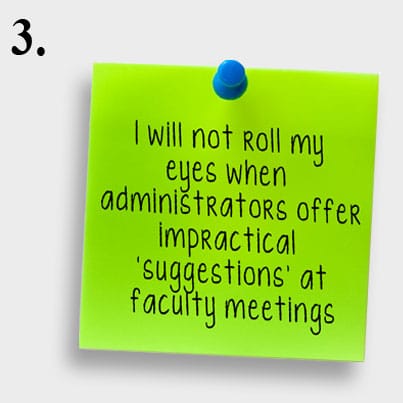
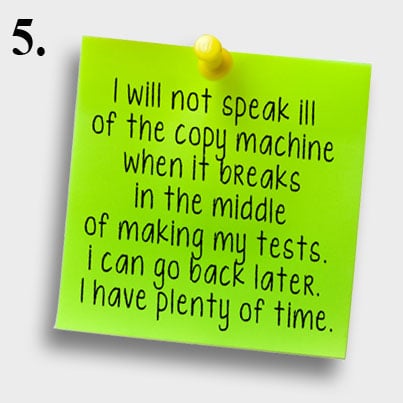
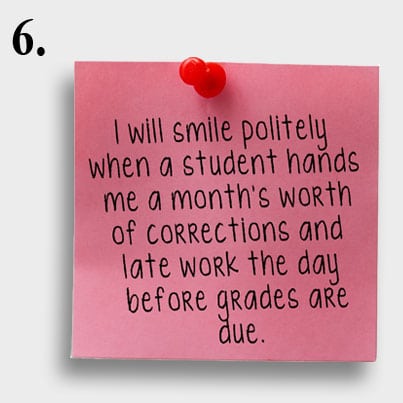
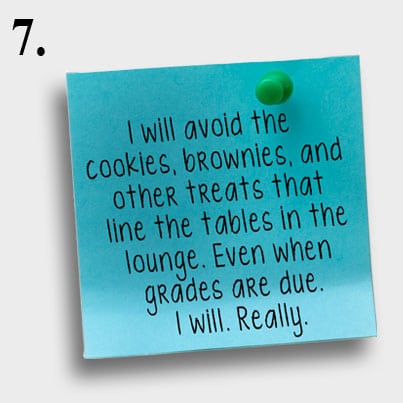
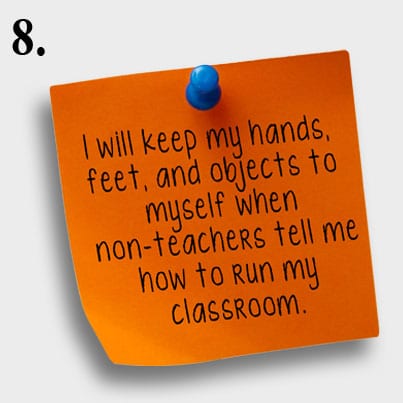
Here are some New Year resolutions for educators sure to make you laugh out loud.

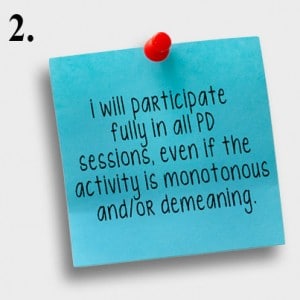
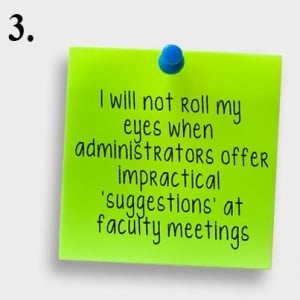

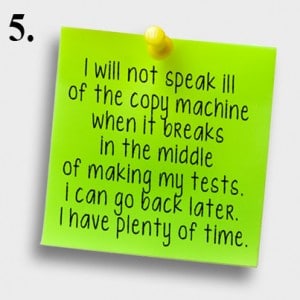


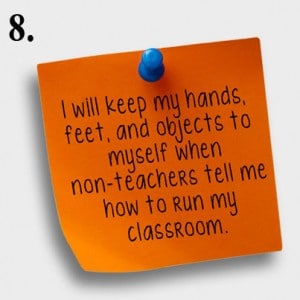
Source: Read here.
by California Casualty | News |
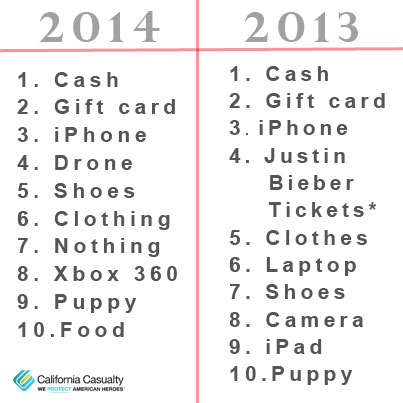
If you are doing a last minute scramble for the perfect holiday gift, maybe you should pay attention to social media. After analyzing data from millions of online conversations from Twitter, Facebook and other platforms about holiday presents, Prime Visibility deduced the top gifts people wanted this year:
- Cash
- Gift Cards
- iPhone
- Drone
- Shoes
Here’s how 2014 desires compared to those of 2013:
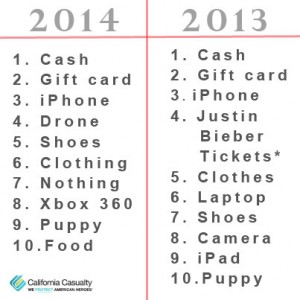
Here are some other top gift requests from the report:
- Guardians of the Galaxy was tops for movies
- Xbox 360 the most sought after game console
- Nike was the most requested apparel
- Visa led the list for gift cards
No matter what gift you give or get, here’s a holiday wish for all the best for you and your family from California Casualty. If you should need us, we are ready to help with claims support, customer service or a policy review at 1.800.800.9410 or visit www.calcas.com.
by California Casualty | Educators |
Technology is capable of more than improving productivity at work and enhancing global commerce – it’s a powerful tool to help teachers engage their students. According to the National Center for Education Statistics, over 90% of classrooms are equipped with computers and/or internet access. As technology becomes more accessible and mobile, teachers are using it to breathe life into the learning process by making it fun and interactive.
Using Technology in the Classroom: 10 Innovative Ideas
From apps to handheld devices, teachers are using technology to create a memorable learning environment that encourages collaboration and conversation. Here are 10 unique ways you can use technology to transform learning:
- Digital challenges.
 Nothing is more exhilarating for a student than the feeling of being the first to find the correct answer. Some teachers are using technology to create digital scavenger hunts, which get students excited about learning new information while perfecting online search skills. Begin a lesson with a digital challenge to set the pace for an inspired learning experience and watch student engagement soar.
- Class blogs and forums.
 Technology took classroom communication to a new level. Now, teachers can create class blogs or forums using free tools, like WordPress.com and Blogger, to publish student work. By encouraging comments and posting class news, teachers use familiar social media tactics to create education-focused communities and engage their students in academic discussions.
- Take learning outside.
 Technology-based innovation of the learning process doesn’t only apply to in-class projects. In fact, schools equipped with a wireless internet connection allow teachers to take the classroom outside. Even without a wireless connection, mobile devices pre-loaded with educational apps can enhance the learning process outside the classroom, especially for science classes.
- Experience art and music interactively. Whether you’re discussing Beethoven or Michelangelo, sometimes words don’t effectively convey the message. Between YouTube and mobile apps offering on-demand media, giving students the opportunity to experience the sounds of classical greats and admire the detail in a masterpiece is easier than ever before.
- Inspire healthy competition. With a variety of classroom management apps available, teachers can create virtual leaderboards, merits, and award systems accessible on any device. Because students are able to access and view their progress with peers, healthy competition is inspired while providing motivation to learn.
- Partner with other classrooms. When attempting to partner with other classrooms or invite guest speakers, teachers no longer have to spend additional time working out the logistics. Whether using a low cost communication tool, like Skype, or implementing a classroom-specific collaboration tool, educators are using technology to reach across physical walls and keep the classroom interesting.
- Get parents involved. While parents are working and children are in school, many moments throughout the day are not communicated to parents. From awards received to behavioral feedback, technology is simplifying communication between parents and teachers. As a bonus, digital classroom management tools reduce time spent completing paperwork and writing notes to parents.
- Track progress and goals.Viewing progress towards a goal is a good way to motivate students, identify concerns, and reward excellence. Online classroom management apps with syncing technology make goal tracking simple, transparent, and fast. Students and parents are able to view progress on classroom and student-specific goals.
- Encourage feedback from students. Survey and poll tools, such as Poll Everywhere, provide teachers with a quick, easy, and real-time method of obtaining student feedback. Students may respond to a poll question from class, their mobile phone, or any computer and teachers are able to review responses in real time.
- Keep students organized. As students graduate to higher levels of education, staying organized is paramount. Technology is making it easier for teachers to impart responsible study habits and organizational skills through the use of digital notebooks and student organizers. Accessible on any device, online notebooks help students keep track of subject-specific notes, record lectures, keep images, and archive online research.
Low Cost and Free Ways to Incorporate Technology
Between budgetary concerns and logistics, incorporating technology into the classroom can seem like an impossible task. Fortunately, there are numerous free and low cost options for teachers that help bring lessons to life:
- Google Classroom. Accessible on any device, Google Classroom is free, robust, and offers multiple classroom-specific features. Many time consuming tasks, such as providing custom feedback and responding to student questions, are simplified by using Google Classroom. From assigning projects and reviewing submissions to grading homework and discouraging academic dishonesty, Google Classroom efficiently digitizes classroom essentials.
- Science360 for iPad. Developed by the National Science Foundation, Science360 is a free app providing students and teachers with a vast library of images, audio files, and video covering numerous scientific topics. Content found in Science360 is published by scientists and researchers to enhance classroom learning. Using this app encourages students to remain informed about current science events.
- Likened to a social network for classrooms, Schoology is a learning management system that streamlines communication, organization, and collaboration. For students, Schoology provides a one-stop shop for assignments, course materials, and supplemental information while simplifying communication with the instructor. Teachers benefit from administrative functions, like the ability to create custom web pages and review class statistics, which save time and resources.
- Aiming to replace paper-filled 3-ring binders, LiveBinders is an online note taking and storage tool. While itsuse for students in the classroom is obvious, LiveBinders is also helpful for presenting parents with course materials and student reports, organizing educational tools and research, and keeping class-specific information in one easily accessible location.
- Featuring the ability to instantly sync and store information, Evernote offers robust capabilities and a generous storage allotment. Save, share, and sort information related to specific subjects. Users can take and save pictures, create audio recordings, and store media files in Evernote, which keeps important information in one place.
Liven Up Your Classroom with Technology
With so many tools to bring technology into the classroom, your options for customizing the learning process in your classroom are endless. Whether you need to help students get motivated about a “boring” subject or want to inspire collaboration in your class, use technology to add a twist to traditional education.
Working for Teachers
While you’re working hard to educate future generations, California Casualty is working hard for you. Offering auto insurance specifically for teachers, our company is dedicated to making your morning commute worry-free. Contact us today to learn more.
Resources (not all linked):
https://www.educationworld.com/a_tech/columnists/johnson/johnson033.shtml
https://www.edudemic.com/technology-in-their-classrooms/
https://www.teachhub.com/12-easy-ways-use-technology-your-classroom-even-technophobic-teachers
https://www.alicekeeler.com/teachertech/2014/09/07/20-things-you-can-do-with-google-classroom/
https://www.edutopia.org/stw-online-learning-free-virtual-lessons-projects
https://www.edutopia.org/tech-to-learn-classroom-technology-resources
https://www.educationworld.com/a_tech/archives/technology.shtml
https://www.teachthought.com/technology/6-tips-and-18-resources-to-extend-learning-beyond-the-classroom/
https://byoung4481.wordpress.com/
https://nces.ed.gov/fastfacts/display.asp?id
by California Casualty | Educators |
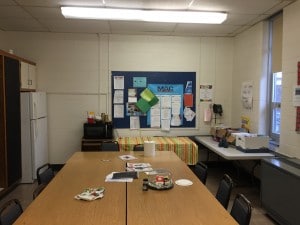
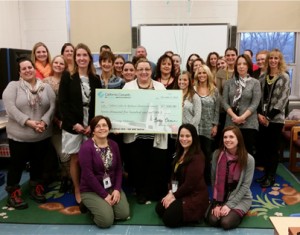
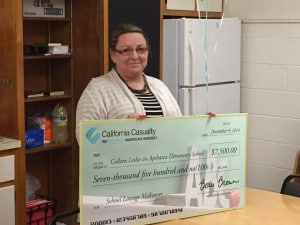
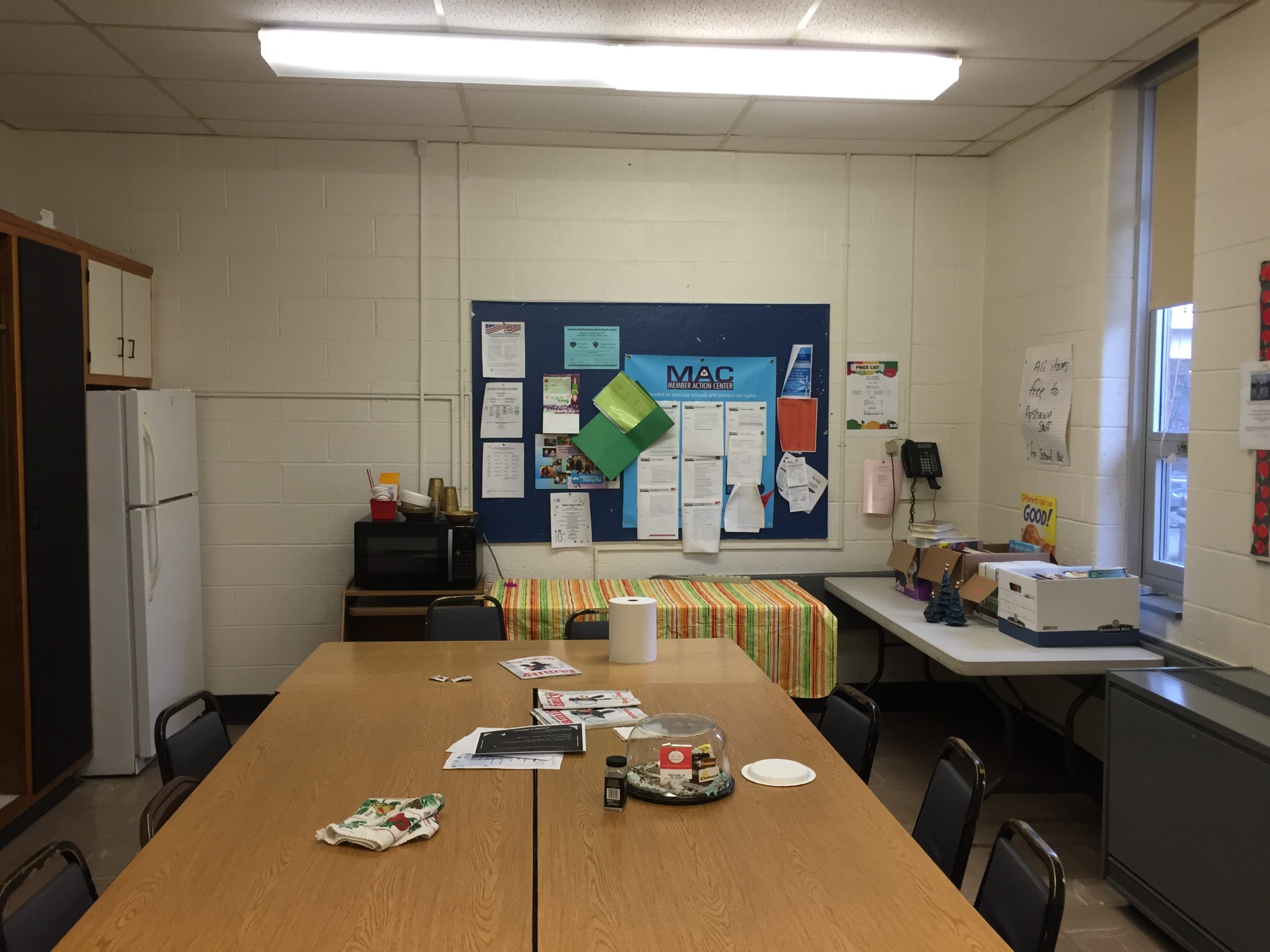
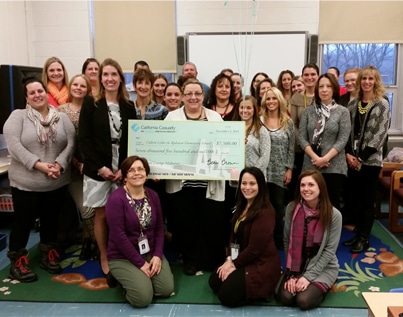
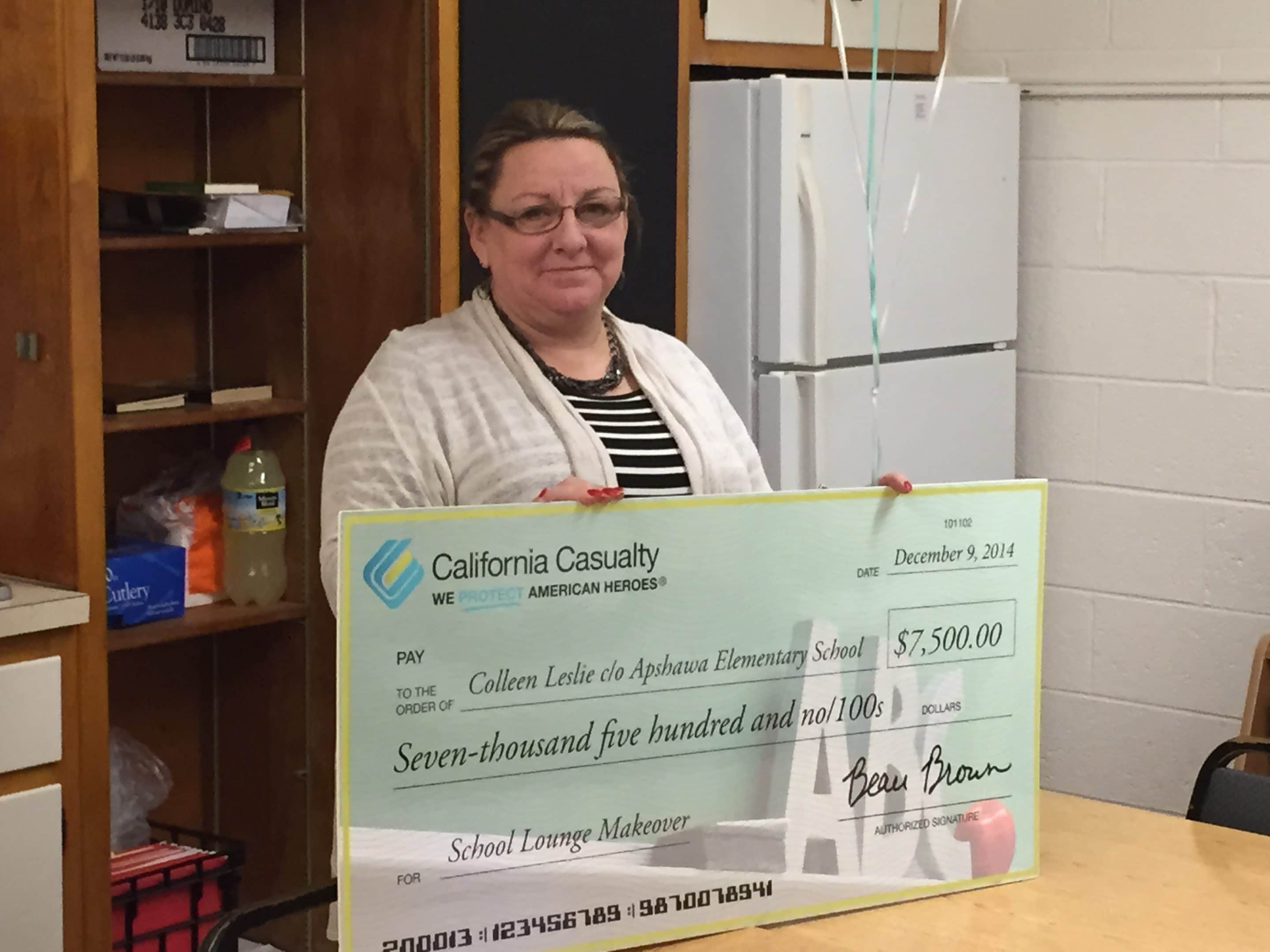
Here are some great pictures of our newest winner of the School Lounge Makeover, Colleen Leslie from Apshawa Elementary School in West Milford, New Jersey.